

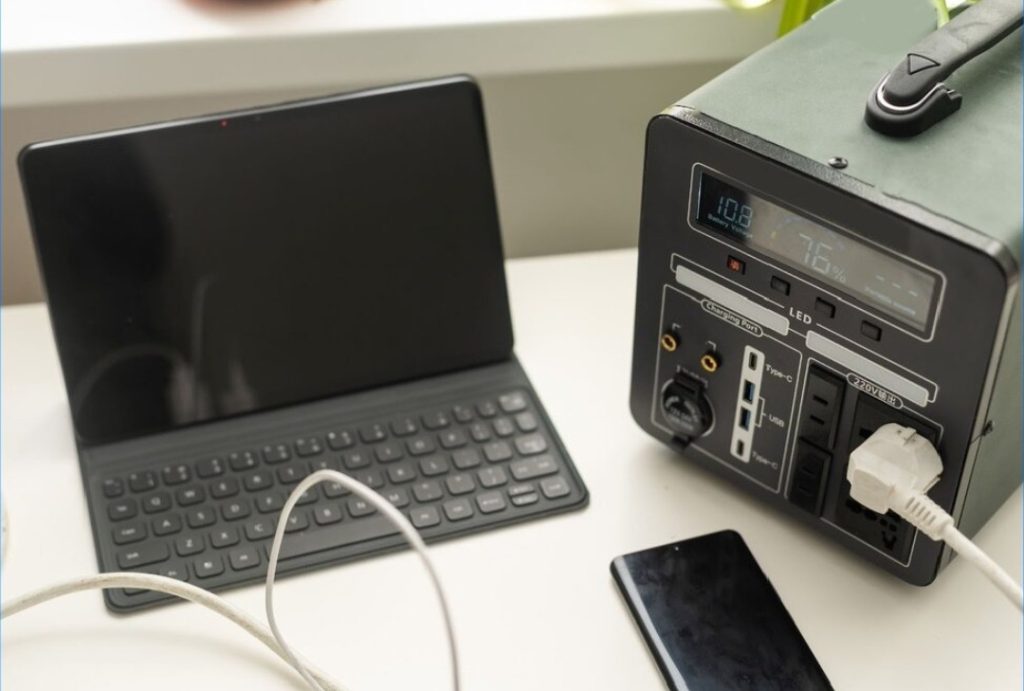
Graphic designers do far more than create visuals. They conceptualise, ideate, revise, collaborate with colleagues and export assets for digital and print environments. Their workflow requires speed, precision, uninterrupted access to design software, and strong organisation; an appropriately equipped desk setup eases these daily demands while freeing designers to pursue creative pursuits.
Tools like a multi-port docking station for dual-monitor creative setups and a compact portable charger for on-the-go designing form a smart foundation, while the remaining tools further enhance accuracy, collaboration, and efficiency.
Below are ten must-have desk tools that directly improve the creative workflow of professional designers.
1) Multi-Port Docking Station for Dual-Monitor Creative Setups
Designers work best when their tools are visible and accessible. A dual-monitor setup allows them to keep the active canvas on one screen while referencing palettes, layers, assets, and mood boards on another.
A multi-port docking station for dual-monitor creative setups lets you connect everything at once, monitors, tablet, SSD, keyboard, and storage devices, without swapping cables. This makes multitasking smoother and eliminates time lost reconfiguring ports. It’s also perfect for designers who rely on digital painting, photo editing, or UI design workflows that demand high screen real estate.
To enhance workflow stability, look for a docking station that supports high-bandwidth ports such as HDMI 4K@60Hz or DisplayPort for color-accurate screens, ensuring precise color grading. Designers who often transfer RAW files or large PSDs will also benefit from a dock with 10Gbps USB-C or built-in SD/TF card readers. If your setup changes often—switching between laptop and desktop—choose a dock with a single-cable connection so your entire system switches instantly without re-plugging every device.
2) Compact Portable Charger for On-the-Go Design
Graphic designers aren’t always tied to a single desk. Many prefer working from co-working studios, coffee shops, outdoor sketch sessions, or client offices. For these environments, a compact, portable charger for on-the-go design ensures the laptop or drawing tablet never dies mid-concept.
This portable power helps designers remain creative without constantly hunting for an outlet. With dependable backup energy, they can brainstorm new visuals, draft mockups, or sketch illustrations whenever inspiration strikes.
For maximum mobility, choose a power bank with high-wattage output (e.g., 45W–65W PD) that can handle laptops and pen tablets, not just phones. Lightweight designs with a built-in USB-C cable also save space in a designer’s bag. If you frequently work in transit—on trains or flights—look for airline-approved capacity (below 100Wh) and fast-recharge features so your power bank can refill during short layovers. A small LED display showing remaining battery helps plan long work sessions without unexpected shutdowns.
3) Colour-Calibrated Monitor for Accurate Visual Output
Colour calibration is not optional in professional design. Colours that appear accurate to the designer must reproduce accurately on client screens, print materials, and marketing assets. A colour-calibrated monitor prevents revision cycles caused by mismatched tones or unpredictable colour shifts.
This tool improves the precision of image editing, brand identity development, and UI palette consistency. A calibrated display ultimately saves time, reduces edits, reduces misunderstandings, and yields more reliable approvals.
4) Drawing Tablet with Pressure Sensitivity
Digital art needs natural flow. A drawing tablet with responsive pressure sensitivity gives artists control over brush strokes, shadows, and line variation. Whether working in raster-based editors or vector tools, a stylus and tablet bring realism back into the process.
This boosts creative freedom and reduces the time spent manually tweaking strokes afterwards. For illustrators and concept artists, this is one of the greatest productivity boosts available.
5) Ergonomic Mouse for Pixel-Level Precision
Design projects often involve pixel-perfect refinements, tracing outlines, smoothing masks, adjusting paths, and refining shapes. A traditional mouse can cause fatigue and reduce control.
An ergonomic mouse improves precision and comfort. It enables designers to work on detailed elements longer without hand strain. With smooth tracking and balanced ergonomics, artists can enhance both speed and accuracy.
6) Streamlined Docking Station for Design Workflows
While the first docking station introduced dual monitor efficiency, this tool improves simplicity. A streamlined docking station for design workflows keeps every device connected while reducing cable chaos. This gives graphic designers the freedom to focus on idea generation rather than on organising ports.
It supports SSDs, tablets, and external drives, making asset management painless. When designers switch between drafts and final rendering, having everything already connected minimises interruptions.
7) Lightweight Portable Charger for Sketching Outdoors
Creatives often brainstorm outside traditional environments. Urban designers, illustrators, and brand artists draw inspiration from live scenes, natural textures, or client spaces. With a lightweight portable charger for sketching outdoors, their devices stay powered all day.
This helps capture references, draft wireframes, or gather visual research directly from real surroundings. The freedom to work beyond the desk encourages spontaneous and authentic creative exploration.
8) High-Speed External SSD for Large File Storage & Transfers
Design files are enormous. Layered PSDs, RAW photographs, vector compilations, and 4K export libraries consume gigabytes of storage. A traditional hard drive is too slow for serious workflows.
A high-speed SSD dramatically reduces export, save, and transfer times. Designers can back up work, transfer to printers or editors, and load files into software without lag. This keeps productivity flowing during intense editing sessions.
9) High-Bandwidth Docking Station for Large File Transfers
Design projects often require sharing heavy files with clients or teams. A high-bandwidth docking station for large file transfers moves hundreds of megabytes quickly, preventing long waits and stalled uploads.
Whether exporting packaging designs, typography layouts, or mockups, this tool keeps delivery fast and deadlines safe. It also simplifies the workflow by allowing designers to manage multiple storage devices seamlessly.
10) High-Capacity Portable Charger for Long Creative Sessions
Deep creative work often lasts hours, especially when exploring alternatives or refining layouts. The last thing any designer wants is a dead laptop while they’re “in the zone.”
A high-capacity portable charger for long creative sessions keeps laptops, tablets, and even phones powered for extended brainstorming blocks. When energy stays consistent, ideas flow without disruption. That continuity is priceless for creativity.
Conclusion
Designers need more than raw talent; they need technology that supports and accelerates how they work. A desk-friendly docking station for organised workspaces anchors the workstation setup, while a dependable portable charger for multitasking projects ensures power never becomes a barrier to inspiration. With these tools and the additional desk essentials, designers work faster, present clearer concepts, and deliver stronger creative results.
For graphic designers, workflow isn’t just a process; it’s a competitive advantage. With the right tech behind them, their creativity moves freely, and their best work reaches the world without friction.

